
Book indexing software that keeps your expertise and handles the hard parts.
A good index takes focus, judgment, and close attention to detail. You already have a key component down: you know your book better than anyone else. SeeAlso keeps your mind in the meaning of the text, not the housekeeping, so you spend your time deciding what readers need to find, not managing windows and page numbers.
Here’s how the work splits.
| You decide | SeeAlso handles |
|---|---|
| Which terms readers will look for | Finding all instances of your selected terms |
| How entries and subentries fit together | Formatting and organizing entries |
| When a cross-reference helps the reader | Accurate page numbers, eliminating typos and errors |
| Thinking about the book | Alphabetizing entries |
| What stays in and what gets cut | Repetitive formatting |
Upload your proofs and start.
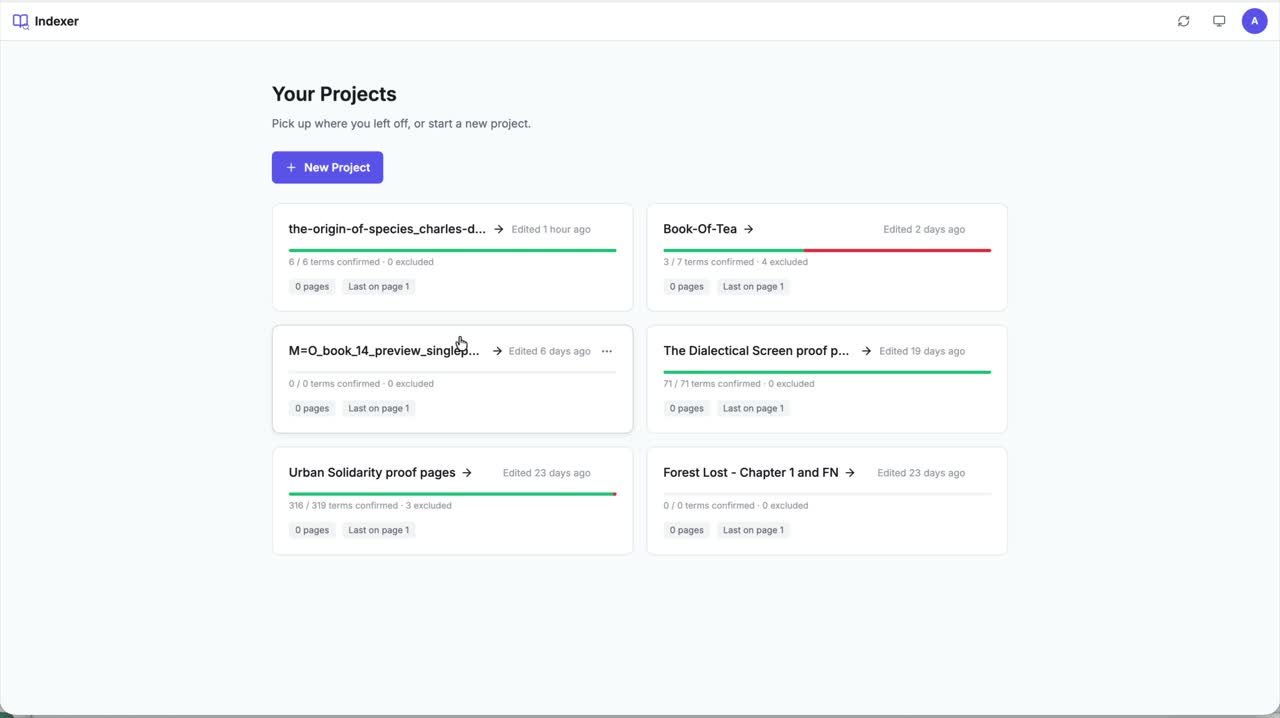
Add your PDF and the project is ready to work on. Index a chapter tonight, another on the weekend — everything stays exactly where you left it.
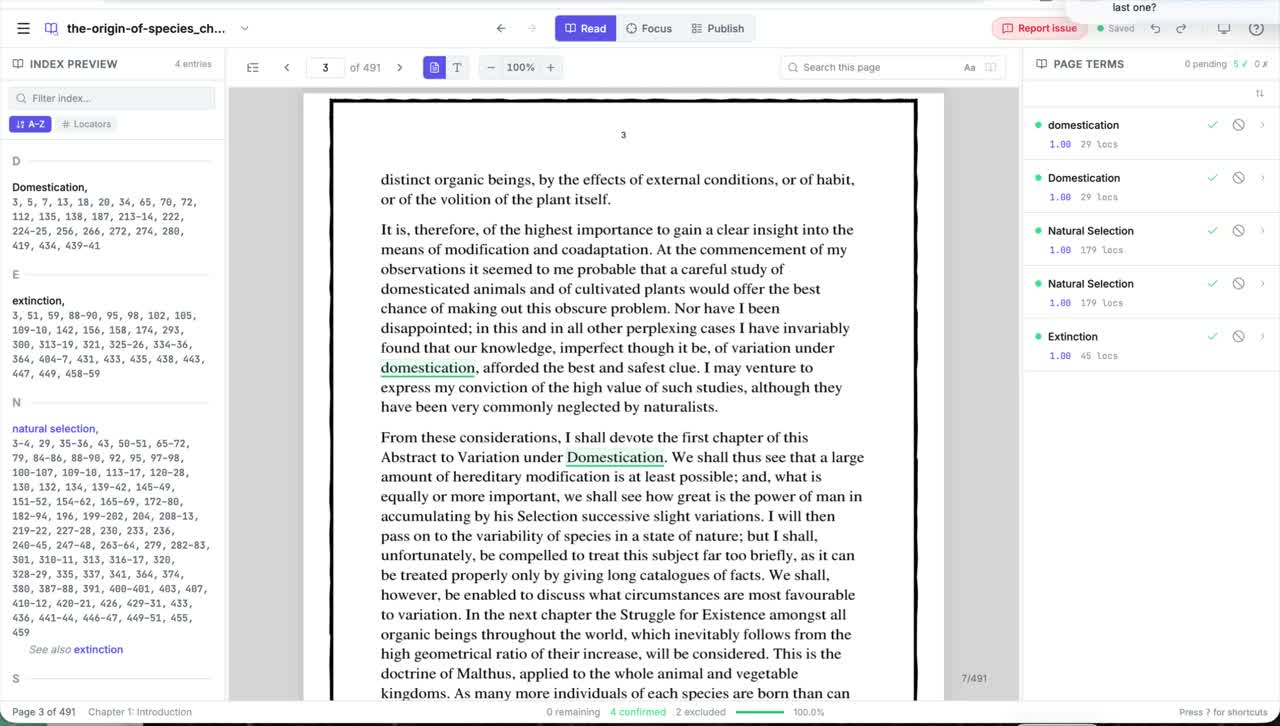
The core move: page to index, in one step.
Select a term on your proof and the entry exists — with its page reference already attached.
Why it matters No copying between windows, and no page numbers to type — the part where most do-it-yourself indexes go wrong.
Work in whatever order makes sense to you.
Some authors read the proofs start to finish first. Some build entries chapter by chapter and tidy up at the end. SeeAlso works either way.
Select a term and the entry exists, with its page reference already attached. Add a subentry now or three chapters later. Reopen an entry and reshape it whenever the structure of your index becomes clearer.
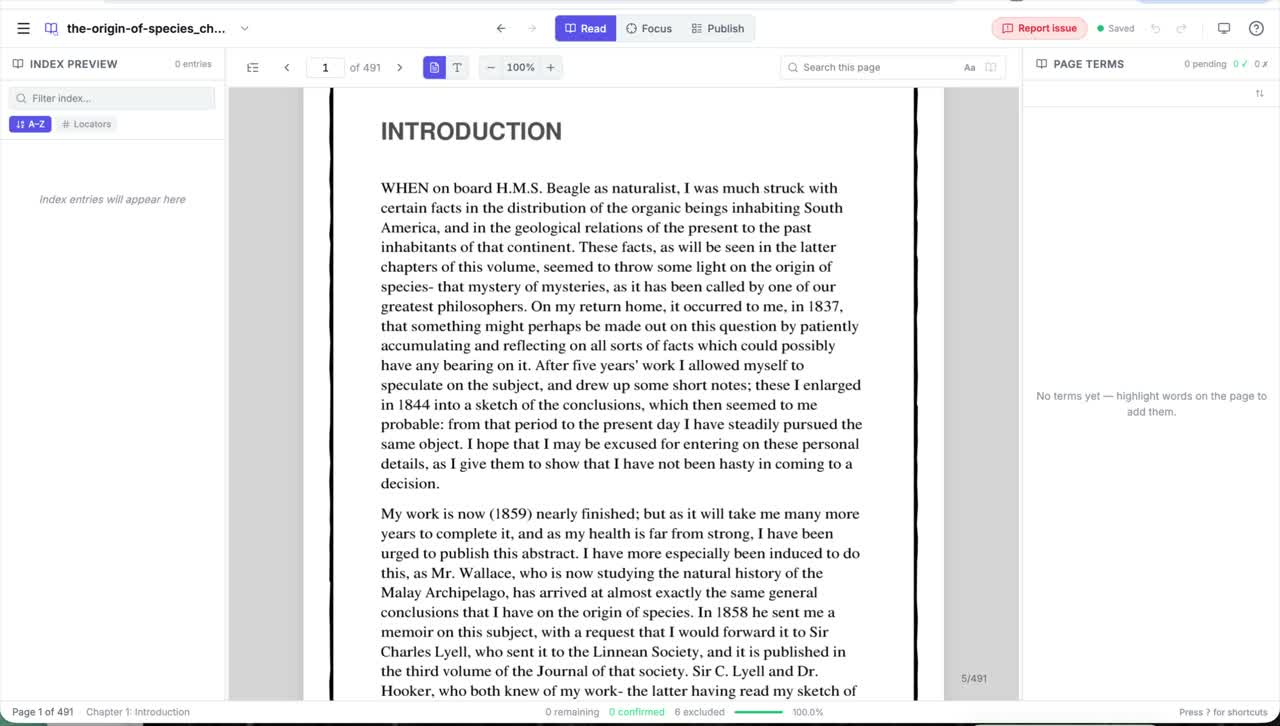
One workspace, three modes.
- Read mode for picking out the main terms as you read your proofs.
- Focus mode for organizing subentries and cross-references.
- Publish mode for formatting and shaping the style of your finished index.
No window switching means fewer lost entries and less second-guessing.
The small things you never have to think about.
Most of what SeeAlso removes isn’t dramatic — it’s the dozens of tiny chores that make indexing a book feel overwhelming.

Automatic page references
Page numbers are captured when you select a term, never typed.
One window
Your proofs and your index side by side — no switching apps.
Edits in place
Rename or revise an entry right where it sits.
More references, fast
Add another page to an existing entry in a click.
Drag-and-drop subentries
Create categories and drag instances into them on the page.
Keyboard shortcuts
For even easier controls and faster indexing.
A finished index, not a pile of entries.
When the work is done, the index is ready to export. SeeAlso formats your index to your publisher’s specifications with plenty of style options to choose from. Your index will export as a Word (.docx), plain text (.txt), or Rich Text Format (.rtf) file — ready for your publisher, not raw entries waiting on another evening of cleanup.
An expert in your corner.
You’re never indexing alone. Help is there when you’re stuck, and a professional indexer shows you the way from blank page to finished index.

In-app help
Stuck on sub-entry categories? Wondering about how to create a cross reference? Ask the in-app helper and get an answer without leaving your proofs. You’ll be an expert in the tool in no time.
Try SeeAlso now →
Andrew’s tutorials
Andrew Ascherl, a professional indexer, walks you through every tool in SeeAlso — and, in a new series, how to shape the index itself, from your first entry to your last. Go from a blank page to a complete index with confidence.
Watch the tutorials →
Live support sessions
With a complex text, sometimes you’re not sure whether a term belongs in the index or not. Every so often we host live sessions where you can bring those questions and work through them with us.
Get email updates →
Easy to learn, easy to focus
You wrote the book. You can index it.
Start a free trial, upload your proofs, and see how it feels to build your own index.